Amazon Business vs. Amazon Marketplace: Which Is Right for Your Brand?
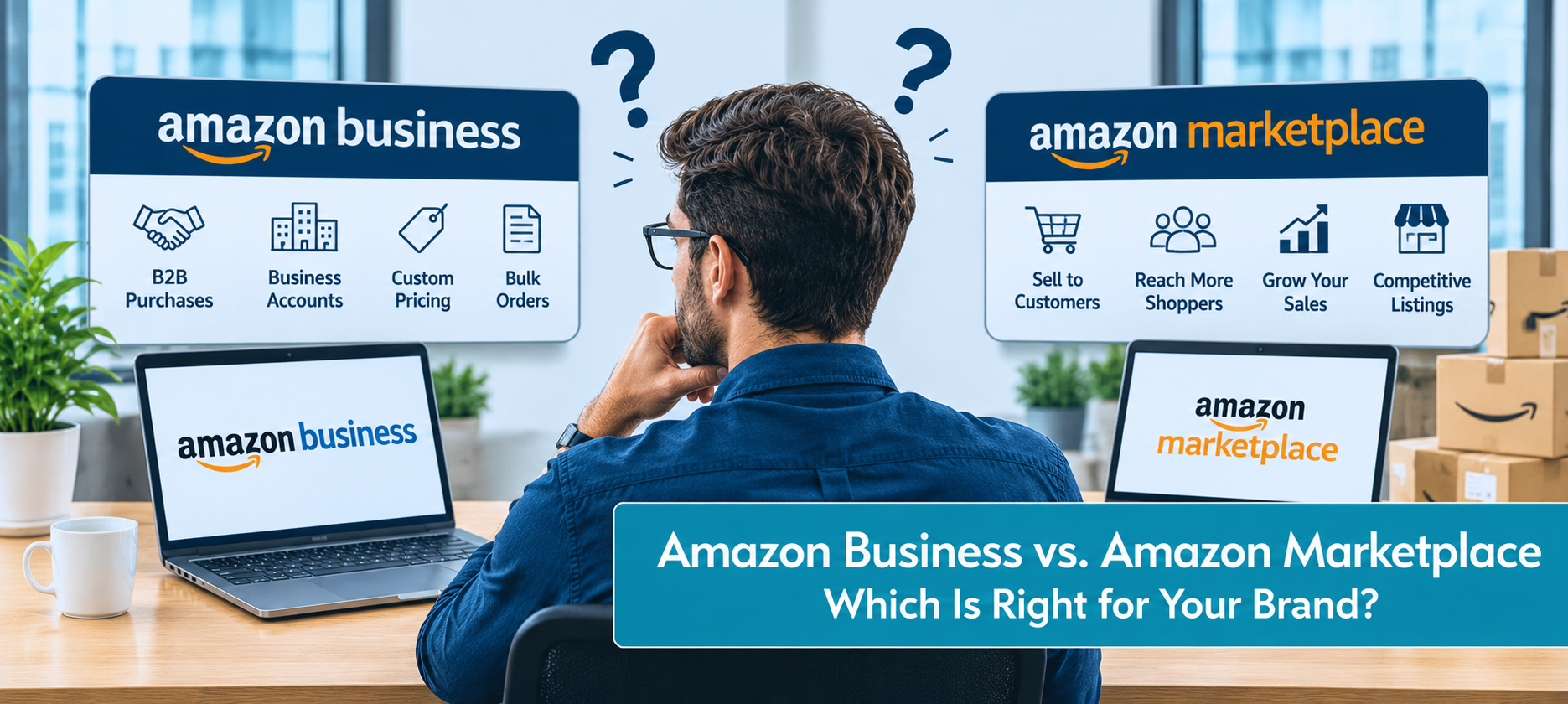
If you've ever tried to research Amazon Business vs Amazon Marketplace, you've probably ended up more confused than when you started. Half the articles treat them as two completely separate platforms. The other half use the terms interchangeably. Neither picture is quite right, and the confusion costs sellers real money, because the misunderstanding leads them to either overlook a profitable channel or sign up for one expecting something it doesn't offer.
The actual relationship is simpler than it sounds. Amazon Marketplace is the consumer-facing platform every Amazon seller already operates on. Amazon Business is a B2B channel layered on top of the same Seller Central account, giving sellers access to business buyers along with a set of B2B-specific features. It isn't a separate seller account you have to maintain. It's a channel you opt into inside the account you already have.
Understanding the difference matters because the decision isn't really "pick one." It's "should I continue selling only to consumers, or opt into the business channel and reach corporate and institutional buyers too?" This guide walks through how each one actually works, the features the B2B side unlocks, which brands benefit most, and why most sellers should run both.
What Is Amazon Marketplace?
Amazon Marketplace is the main, consumer-facing shopping platform that every third-party seller already operates on. When a shopper opens Amazon.com, searches for a product, and buys through their Prime account, they're buying on Amazon Marketplace. Sellers access it through Seller Central and reach hundreds of millions of individual consumers.
The marketplace runs on standard retail dynamics: individual shoppers, single-unit or small-quantity orders, consumer pricing, impulse and comparison purchases, and emotional purchase drivers like reviews, images, and brand storytelling. Fulfillment typically flows through FBA, with Prime eligibility driving a significant share of conversion. If you're still weighing how to enter this channel at all, it helps to understand the different types of sellers on Amazon before deciding how to position your brand.
This is the environment most Amazon selling advice is written about. When you hear about Sponsored Products campaigns, A+ Content, Buy Box strategy, or review optimization, it's referring to the consumer marketplace.
What Is Amazon Business?
Amazon Business is Amazon's business-to-business platform. On the buyer side, it's a separate shopping experience where registered business accounts purchase supplies, equipment, and inventory. Those buyers include corporations of every size, government agencies, hospitals and healthcare networks, schools and universities, nonprofits, and small businesses.
On the seller side, Amazon Business isn't a separate program you sign up for from scratch. If you have a Seller Central account, you already have the infrastructure to sell on it. (If you're still operating under Vendor Central, it's worth reviewing the case for Amazon 1P vs 3P first, since the B2B features described here live on the 3P side.) You enroll in the Amazon Business seller program through Seller Central, enable the B2B features, and your eligible products become visible to business buyers alongside their existing visibility on the consumer marketplace.
So the Amazon Business marketplace isn't a parallel version of Amazon with a different URL for sellers to manage. It's the business-buyer side of the same Amazon, with its own buyer audience and a set of features designed for how those buyers actually purchase.
This matters practically. Amazon Business for sellers means expanding your buyer pool and unlocking B2B tools, without duplicating listings, inventory management, or fulfillment operations.
Who Buys on Each: Consumer vs. Business Buyer Profiles
The buyer is the clearest difference between the two channels, and understanding that difference explains almost everything else.
1: Consumer buyers on Amazon Marketplace: Individual shoppers buying for personal use. They typically purchase one or a few units at a time, value Prime shipping heavily, make decisions quickly, and are influenced by reviews, images, and price comparisons against alternatives on the same results page. Purchase decisions are often emotional or convenience-driven.
2: Business buyers on Amazon Business: Registered business accounts purchasing on behalf of an organization. They buy in larger quantities, buy more regularly for replenishable categories, operate under budgets and approval workflows, and often need documentation like invoices and purchase orders. Decisions skew more rational: they're looking for the right product at the right price in the quantities they need, with less brand-loyalty volatility than consumer purchases.
A few practical consequences of this difference:
- Order sizes are larger: Business buyers routinely order dozens or hundreds of units in a single transaction.
- Repeat purchasing is more systematic: A business that buys printer ink, cleaning supplies, or safety gloves every month tends to reorder from the same source rather than re-evaluating every time.
- Price sensitivity looks different: Business buyers expect volume discounts and are comparing total cost of procurement, not just sticker price.
- Returns tend to be lower: Business orders are often made against specific procurement decisions, so impulse-driven returns are less common.
For the right product categories, those dynamics make B2B a more stable and profitable channel than the consumer marketplace, order for order.
Amazon Business vs. Amazon Marketplace: Key Differences at a Glance
| Factor | Amazon Marketplace | Amazon Business |
|---|---|---|
| Who buys | Individual consumers | Registered business accounts |
| Average order size | Small (1–few units) | Often larger, bulk and repeat orders |
| Pricing options | Standard retail pricing | Standard + business pricing + quantity discounts |
| Buyer verification | Open to anyone | Buyers must verify business status |
| Tax handling | Standard sales tax collection | Tax-exempt purchasing supported for eligible buyers |
| Payment options | Credit card, gift card, financing | Same, plus purchase orders and pay-by-invoice for eligible buyers |
| Procurement system access | None | Listings reachable through corporate procurement systems |
| Referral and FBA fees | Standard | Same (no additional B2B fee) |
| Seller account | Seller Central | Same Seller Central account, with B2B features enabled |
| Advertising | Standard Sponsored Ads | Same campaigns reach both audiences; B2B-specific targeting available |
| Best for | Consumer-ready products across categories | Products businesses regularly purchase, with wholesale-friendly margins |
The important thing to notice: most of the infrastructure is the same. You don't duplicate your work when you add the B2B channel. You layer additional buyer access and additional pricing tools on top of what you're already doing.
B2B Features Amazon Business Unlocks for Sellers
Opting into Amazon Business turns on features that don't exist on the consumer marketplace. These are the tools that make the B2B channel genuinely different, and they're the reason the same product can perform very differently on each side.
1: Business Pricing and Quantity Discounts
Business pricing lets you set a lower price that's only visible to and available for business buyers. Your consumer price stays what it was; business buyers see a different, often lower number. This matters because it lets you compete on B2B pricing norms without undercutting your retail price or creating MAP policy conflicts on other channels.
Quantity discounts let you offer tiered pricing based on order size: a slightly lower price per unit at 10 units, a lower one at 50, a lower one again at 100. Business buyers expect this, and setting intelligent tiers can meaningfully increase average order size.
2: Business-Only Offers
You can create offers, like promotions or specific bundles, that only appear to business buyers. This lets you run B2B-specific marketing without affecting your consumer listings or offers.
3: Tax Exemption Handling
Many business buyers, especially in government, education, healthcare, and nonprofits, are tax-exempt. Amazon Business handles this automatically through the Amazon Tax Exemption Program, which collects and verifies exemption certificates and applies them at checkout. You don't have to manage any of this manually, which removes a major friction point that would otherwise keep institutional buyers from ordering.
4: Purchase Order and Pay-by-Invoice Payment
Businesses often buy on purchase orders or require invoicing with 30-day payment terms. Amazon Business supports these payment methods for eligible buyers, which opens the door to large corporate and institutional customers who simply don't buy on credit cards.
5: Visibility Inside Procurement Systems
Amazon Business integrates with many major corporate procurement platforms through "punchout" catalogs. Buyers using their company's procurement software can shop Amazon Business inside their own system, meaning your products become reachable to buyers who may never browse Amazon directly.
6: Enhanced B2B Content
Sellers in Amazon Business can list more product specifications that matter to business buyers: compliance certifications, detailed specs, and documentation like safety data sheets. These attributes become filterable in search, helping your products surface for the queries business buyers actually use.
7: B2B Advertising Options
Amazon Sponsored Ads campaigns reach both consumer and business buyers by default, but Amazon also offers B2B-specific audience targeting that lets you prioritize spend toward business buyers. For brands with meaningful B2B potential, this can be a more efficient use of ad spend than treating the two audiences identically.
Pros and Cons of Selling on Amazon Business
Pros:
- Access to a large, underserved buyer audience that doesn't actively shop the consumer marketplace the same way.
- No additional account or subscription fees. You pay the same referral and FBA fees.
- Higher average order values on the orders that come through B2B, driven by bulk purchasing.
- More predictable, replenishment-driven revenue for the right product categories.
- Lower return rates on business orders compared to consumer orders in most categories.
- Pricing flexibility that doesn't affect your consumer retail price.
- Tax-exempt infrastructure handled for you, which unlocks buyers you otherwise couldn't easily serve.
Cons:
- Not all products are a fit: Business buyers aren't looking for most consumer-only categories.
- Lower unit margins on bulk orders: Quantity discounts are expected, which means your per-unit margin falls on larger orders.
- Business pricing requires discipline: Pricing competitively on the B2B side without eroding your consumer channel takes planning.
- Inventory pressure: Bulk orders can deplete stock faster than consumer orders, which affects availability for consumer buyers if you don't plan for it.
- More demanding buyer expectations: On documentation, invoicing, and procurement-friendly listings.
Which Brands Benefit Most from Amazon Business?
Amazon Business isn't equally valuable for every brand. It tends to pay off most for sellers who fit a few specific profiles.
- Replenishable and consumable products: Office supplies, cleaning products, safety gear, food service items, medical consumables, and packaging materials are all categories businesses buy repeatedly. These benefit most from the B2B channel's reorder patterns, much the way consumer replenishment is driven by the Amazon Subscribe & Save program on the retail side.
- Categories businesses actually buy: Industrial supplies, janitorial products, IT accessories, food service equipment, healthcare products, educational materials, and professional tools. If you can picture a procurement officer or office manager ordering it, the fit is likely strong.
- Wholesale-friendly margins: If your margin structure supports the kind of quantity discounts B2B buyers expect, you can price competitively without losing money. If your consumer pricing is already tight, B2B pricing may not leave room.
- Inventory capacity to support bulk orders: If you can't fulfill a 500-unit order without stocking out your consumer channel, B2B orders will create problems rather than solve them.
- Brands with existing B2B products that don't fit retail: Items like compliance-heavy products, specialized tools, or business-only bundles may actually perform better on the B2B channel than the consumer marketplace.
When Amazon Business May Not Be Worth It
The flip side is honest too. Some brands shouldn't opt in, or at least shouldn't invest significant effort there.
- Purely consumer-oriented products: Gift items, fashion-driven categories, decor, and products that depend entirely on consumer emotional appeal rarely see meaningful B2B volume.
- Thin consumer margins: If you can't afford the quantity discounts B2B buyers expect, you'll either lose business to competitors who can or accept unprofitable bulk orders.
- Limited inventory capacity: Bulk B2B orders can drain stock quickly. If you're already running lean on consumer availability, adding B2B demand before solving the inventory problem makes it worse.
- Very small catalog or unproven listings: B2B buyers rely heavily on specifications, documentation, and reviews. If your listings aren't yet strong on the consumer side, they won't convert well on the B2B side either.
Opting in itself is low-cost, but seriously competing on Amazon Business takes the same operational attention as competing on the consumer marketplace. If the fit isn't there, that attention is better spent elsewhere.
Why Most Sellers Should Opt Into Both
For sellers whose products are a reasonable B2B fit, the Amazon Business vs Amazon Marketplace question isn't an either-or decision. It's a both-and.
The cost of opting in is low. There's no additional subscription fee, no separate account to manage, no duplicate inventory. Your existing listings become visible to business buyers automatically once you enable the B2B channel; the additional work is setting up business pricing, quantity discounts, and tax exemption acceptance.
The upside is meaningful. Business buyers represent a distinct pool of demand that doesn't overlap much with your consumer traffic. The orders that come through B2B tend to be larger, more predictable, and less return-prone. And once a business buyer starts replenishing from you, that relationship tends to stick, giving you a more stable revenue base than the sporadic rhythm of consumer orders.
The strongest approach is to treat B2B as a dedicated channel, not an afterthought. Set thoughtful business pricing and quantity tiers. Build out your product specifications and documentation to meet B2B search behavior. Use B2B-specific advertising targeting when it fits. And monitor B2B performance on its own metrics rather than lumping it in with consumer sales.
Done well, Amazon Business becomes additive revenue layered on top of your consumer marketplace business, not a distraction from it.
How to Enroll and Start Selling on Amazon Business, Step by Step
Step 1: Register for the Amazon Business Seller Program
Log in to Seller Central and navigate to the Amazon Business section. If you're not yet enrolled, you'll see an option to register for the Amazon Business Seller Program. Registration is free and typically approved quickly for existing sellers in good standing.
Step 2: Enable Business Features on Your Listings
Once enrolled, your eligible products become available to business buyers automatically. From Seller Central, you'll be able to add B2B-specific attributes to your listings, including additional specifications, certifications, and documentation that business buyers filter on.
Step 3: Set Up Business Pricing and Quantity Discounts
In the Amazon Business tools inside Seller Central, configure business-only pricing on your eligible SKUs. Set quantity discount tiers that reward larger orders without eroding your margin below acceptable levels. Start with modest tiers and adjust based on performance.
Step 4: Enroll in the Amazon Tax Exemption Program (ATEP)
Opt in to ATEP so Amazon can collect and apply tax exemption certificates from eligible buyers automatically. This unlocks tax-exempt institutional buyers without requiring you to manage certificates manually.
Step 5: Configure Payment and Invoicing Options
Decide which payment methods you'll accept from business buyers, including whether to allow pay-by-invoice. Payment processing and risk handling run through Amazon, so the additional operational burden is minimal.
Step 6: Review Your Product Content for B2B Buyers
Make sure your listings include the specifications, certifications, and documentation business buyers look for in your category. This is often different from what works for consumer buyers, even for the same product.
Step 7: Monitor B2B Performance Separately
Use Amazon Business reporting to track how your B2B channel is performing on its own: order volume, average order size, repeat purchase rate, and quantity discount uptake. Treat it as a channel with its own metrics, not a line item inside your consumer reporting.
Common Mistakes Sellers Make With Amazon Business
- Opting in and then ignoring it: Enrolling in Amazon Business without setting B2B pricing, enabling tax exemption, or refining listings leaves most of the opportunity on the table. The features matter more than the enrollment.
- Setting business pricing too conservatively or too aggressively: Business pricing that barely discounts the consumer price isn't competitive for bulk buyers; pricing too deep gives away margin. Finding the right tiers takes testing.
- Not building B2B-specific content: Listings optimized purely for consumer purchase decisions miss the specs, documentation, and certifications business buyers filter for.
- Treating B2B as a side channel in reporting: Without separate tracking, it's hard to know whether your B2B investment is paying off or being subsidized by consumer sales.
- Ignoring inventory implications: A large B2B order can wipe out stock that was holding your consumer organic rank. Plan inventory with both channels in mind, and strategically manage your Amazon inventory so bulk orders don't starve your consumer availability.
- Failing to use B2B advertising targeting: Running standard Sponsored Ads without using available B2B targeting means your spend may underperform against competitors who are reaching business buyers more deliberately.
Conclusion
The Amazon Business vs Amazon Marketplace comparison isn't really about choosing one over the other. Amazon Marketplace is the consumer base every seller already reaches. Amazon Business is an additional B2B channel layered on the same Seller Central account, unlocking a distinct audience, a set of B2B-specific features, and a more predictable revenue pattern for the right products.
For brands selling consumer-only products with thin margins, Amazon Business may not be worth the effort. For brands selling products that businesses actually buy, with enough margin to support quantity discounts and enough inventory to fulfill bulk orders, opting in is one of the lower-effort, higher-upside decisions available on Amazon. There's no additional fee, no separate account, and no duplication of operations, just access to more buyers and a toolkit built for how those buyers actually purchase.
At Prime Retail Solution, our end-to-end 3P marketplace services help brands manage both channels together, setting up B2B pricing, listings, and operations so Amazon Business becomes additive revenue rather than a distraction. If you want to make sure your brand is tapping both the consumer and business sides of Amazon effectively, get in touch with our team!.
FAQs
1: What's the difference between Amazon Business and Amazon Marketplace?
Amazon Marketplace is Amazon's consumer-facing platform where individual shoppers buy. Amazon Business is Amazon's B2B platform where registered business accounts buy. For sellers, they're not separate accounts; you enable Amazon Business inside your existing Seller Central account to make your products visible to business buyers.
2: Do I need a separate Seller Central account for Amazon Business?
No. You use the same Seller Central account and enroll in the Amazon Business seller program to enable B2B features and reach business buyers.
3: Are the fees different on Amazon Business?
No. The same referral and FBA fees apply on both channels. There's no additional subscription or per-order fee for opting into Amazon Business.
4: Can I set different prices for business buyers?
Yes. Business pricing lets you offer a separate, lower price that's only visible to business buyers, without affecting your consumer retail price. You can also set quantity discount tiers that reward larger orders.
5: Do business buyers get Prime shipping?
Amazon Business has its own version of fast, free business delivery for Business Prime members. FBA-fulfilled listings participate automatically.
6: What products sell best on Amazon Business?
Replenishable, consumable, and category-specific products businesses regularly purchase: office supplies, cleaning products, industrial supplies, IT accessories, safety gear, food service items, healthcare consumables, and educational materials.
7: How do tax-exempt purchases work on Amazon Business?
Through the Amazon Tax Exemption Program (ATEP), Amazon collects and verifies buyer exemption certificates and applies them at checkout. Sellers enrolled in ATEP don't have to manage exemption documentation manually.
More from
the brief.

3 Essential Tips To Strategically Manage Your Amazon Inventory
Managing your Amazon inventory effectively is essential for every Amazon FBA seller serious about making a living. It helps you avoid two big money-losers: not having enough stock to fulfil orders an…
Read article →
5 Futuristic Trends Reshaping E-Commerce Fulfillment On Amazon
Ecommerce fulfillment, the intricate process that transforms online clicks into delivered packages, is rapidly becoming a top concern for retailers.
Read article →
Amazon FBA vs FBM: Full Comparison Guide
There are 2 main selling methods on Amazon – Fulfillment by Amazon, and Fulfillment by Merchant. Choosing between FBA and is one of the most critical strategic decisions you'll make as an Amazon sell…
Read article →Ready to talk
operations?
Tell us about your marketplace footprint. We'll respond within one business day.
Laguna Beach, CA 92651