Amazon FBA Reimbursement: How to Recover Money for Lost Inventory and Overcharged Fees
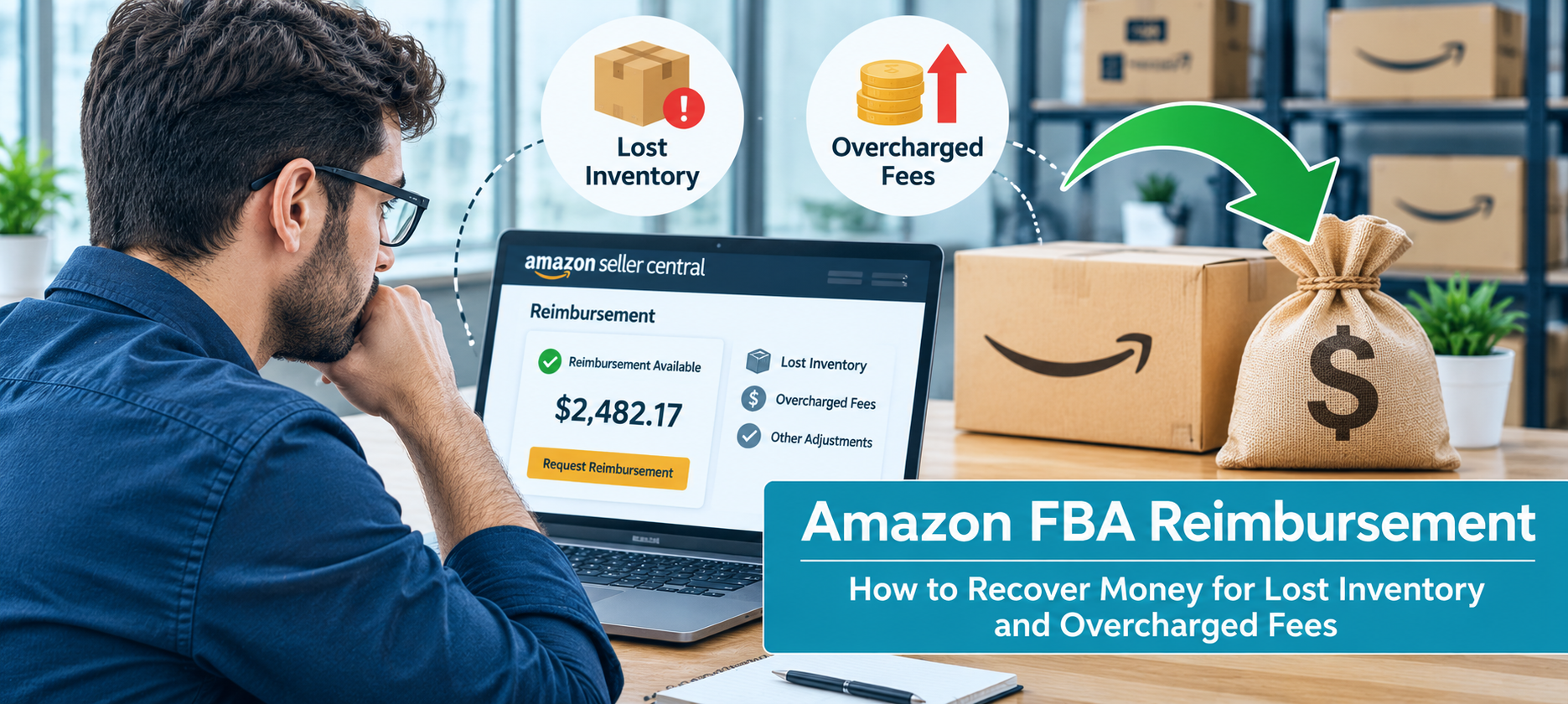
Learn how to file Amazon FBA reimbursement claims for lost inventory, damaged goods, unreturned refunds, and fee overcharges with updated claim rules.
Every month, Amazon's fulfillment network handles billions of units. Inventory gets received, counted, stored, moved between warehouses, picked, packed, shipped, returned, and sometimes removed. At that scale, mistakes are unavoidable. Units go missing in a warehouse. Customer returns get refunded but never come back. A product gets measured wrong and charged a higher fulfillment fee on every order. An inbound shipment arrives with fewer units recorded than you actually sent.
Each of these errors means Amazon owes you money. And for most sellers, a meaningful share of that money is never collected.
The reason isn't that Amazon refuses to pay. It's that many of these errors are only reimbursed if you find them and file a claim, and the window to do that has become much shorter. Amazon FBA reimbursement is no longer something you can review once a year and catch up on. It has to be part of how you run the business.
This guide covers what you can claim, the current rules, how reimbursement value is calculated, how to file Amazon reimbursement claims step by step, and how to avoid the mistakes that cost sellers money they're owed.
What Is Amazon FBA Reimbursement?
When you use Fulfillment by Amazon, Amazon takes custody of your inventory. From the moment your units arrive at a fulfillment center, Amazon is responsible for storing, handling, and shipping them correctly, and for charging you the right fees for doing so.
When Amazon falls short of that responsibility, it owes you compensation. That compensation is an Amazon FBA reimbursement. It can come as a cash credit to your seller account or, in some cases, as replacement inventory added back to your stock.
Errors happen for ordinary operational reasons. Units get misplaced in a warehouse that holds millions of items. Scanning mistakes at receiving lead to undercounted shipments. Returned items get processed incorrectly, or the customer gets a refund and simply never sends the product back. Amazon's measuring equipment records the wrong dimensions for a product, putting it in a more expensive fee tier. None of this requires bad intent. It's the natural result of moving enormous volumes of inventory through a complex system.
What matters for you as a seller is that these errors are recoverable, as long as you catch them in time and can prove what happened.
What Changed: The Current FBA Reimbursement Rules
If your understanding of Amazon reimbursements comes from a guide written before 2025, parts of it are probably out of date. Amazon changed several important rules, and the changes make it more important to stay on top of claims.
Claim windows are much shorter. Before October 23, 2024, sellers had up to 18 months to file most reimbursement claims. That long window meant many sellers, and many reimbursement services, would audit their accounts periodically and file claims in bulk. That approach no longer works. Most claims now need to be filed within about 60 days, and some windows are shorter.
Reimbursement is based on manufacturing cost. Starting March 31, 2025, Amazon reimburses inventory that's lost or damaged before a customer orders it based on the product's manufacturing or sourcing cost, rather than its selling price. Items lost or damaged after a customer orders them are still reimbursed at the sale price on the original order, minus applicable fees. This change significantly affects how much you recover, which we'll cover in more detail below.
Documentation requirements are stricter. Amazon reviews claims more closely and expects detailed supporting evidence, such as supplier invoices, proof of purchase, and shipment tracking records. Incomplete or inconsistent documentation is a common reason claims get rejected.
Amazon's policies have changed several times in recent years and may change again. Always confirm the current rules and windows in Seller Central before filing.
The Types of FBA Reimbursements You Can Claim
Amazon reimbursement claims fall into a handful of categories. Knowing each one tells you exactly where to look for money you're owed.
Inventory Lost or Damaged in Fulfillment Centers
This is the most common category and the one most sellers think of first when they hear "Amazon lost inventory reimbursement." Units can go missing inside a fulfillment center, get damaged while being stored or moved, or disappear during transfers between warehouses.
Amazon automatically reimburses some of these cases, but not all of them. Look for units marked as lost or damaged in your inventory reports that don't have a matching reimbursement, and for inventory counts that drop without a corresponding sale or removal. Regular Amazon inventory management checks help sellers compare expected stock with actual inventory and investigate unexplained adjustments before they turn into missed reimbursement claims.
Customer Returns That Never Come Back
When a customer requests a return, Amazon often refunds them right away, before the item has actually been sent back. If the customer never returns the product, Amazon is supposed to either charge the customer or reimburse you. Sometimes neither happens, and you're left out both the product and the sale.
These cases are easy to miss because they don't show up as an obvious loss. You have to compare refunds issued against returns actually received. Understanding Amazon's returns policy helps sellers track expected return timelines and identify cases where a refund has been issued but the returned product is still missing.
Returns Damaged by the Carrier or Amazon
When a returned item arrives back at the fulfillment center damaged, the cause matters. If the customer damaged it, the loss is generally yours. But if the damage happened during carrier transit or while Amazon was handling it, you're entitled to reimbursement. Returns are sometimes classified as customer-damaged when the damage actually occurred elsewhere, so it's worth reviewing these classifications.
Refund Accounting Errors
Sometimes the refund issued to a customer is calculated incorrectly. A common example is a customer being refunded more than they originally paid, or Amazon charging an incorrect refund administration fee. These errors are small individually but can add up across many orders.
Inbound Shipment Discrepancies
When you send a shipment to a fulfillment center, Amazon is supposed to receive and record every unit. If Amazon records fewer units than you actually shipped, you've lost inventory before it was ever available to sell.
Reconcile every inbound shipment by comparing the quantity you shipped against the quantity Amazon received. Discrepancies need to be raised within a short window after the shipment is closed, so this is a check to do as shipments complete, not months later. Following best practices for shipping to Amazon FBA can help sellers maintain accurate shipment records and reduce avoidable receiving issues.
Removal and Disposal Order Losses
When you ask Amazon to send inventory back to you or dispose of it, units can get lost in transit or simply not arrive. If you requested a removal and received fewer units than Amazon says it sent, you may be owed a reimbursement for the difference.
Overcharged Fees: How Wrong Dimensions and Weights Cost You on Every Order
Most of the reimbursement categories above involve one-time losses: a lost unit, a missing return. Amazon FBA fee overcharges are different, and in many cases more expensive, because they repeat.
Amazon calculates your FBA fulfillment fee based on your product's size tier and weight. To do that, it measures your product, and sometimes that measurement is wrong. If Amazon records your product as larger or heavier than it actually is, the product may be placed in a higher size tier or weight bracket. You then pay a higher fulfillment fee on every single unit that ships.
On a product that sells hundreds or thousands of units a month, even a small per-unit overcharge becomes a significant amount of money over time. And unlike a lost unit, the overcharge doesn't stop on its own. It continues until someone notices and gets the measurements corrected.
How to catch it: Compare the dimensions and weight Amazon has on record for your products against your own verified measurements. Prioritize your highest-volume products, since that's where an overcharge does the most damage. Check this for new products shortly after they go live and periodically for established ones, since Amazon can remeasure products at any time.
How to fix it: If Amazon's measurements are wrong, open a case with your verified dimensions and weight, ideally with photo evidence of the product being measured. Ask Amazon to correct the record going forward and reimburse the overcharged fees for past orders. Check Seller Central for the current window on fee-related claims, since you'll want to file before older overcharges fall outside it.
Claim Windows Overview
Missing a claim window is the single most common reason sellers lose money they're owed. These are the windows as currently published, but they change periodically, so confirm them in Seller Central.
The practical takeaway: reimbursement monitoring needs to happen at least monthly, and ideally weekly for high-volume accounts. A quarterly or annual review will miss most of these windows.
How Reimbursement Value Is Calculated
Since March 31, 2025, how much you recover depends on when the loss happened.
Before a customer order: manufacturing cost. If inventory is lost or damaged while it's sitting in a fulfillment center, during an inbound shipment, or otherwise before a customer has ordered it, Amazon reimburses you based on the product's manufacturing cost. That means the cost to source the product, or to produce it if you're the manufacturer. It does not include shipping, handling, customs duties, or other costs to get the product to Amazon. Reimbursements are also capped at a per-unit maximum set by Amazon's policy.
After a customer order: sale price minus fees. If an item is lost or damaged after a customer has ordered it, such as in transit to the customer, you're reimbursed based on the sale price on the original order, minus applicable fees.
Why your cost data matters. If you don't provide your own manufacturing cost, Amazon estimates it. That estimate may be lower than your actual cost, which means you recover less than you should. You can provide your own manufacturing cost data in Seller Central, and keeping it accurate and up to date is one of the simplest ways to make sure your reimbursements reflect your real losses. Keep supplier invoices on hand to support the figures you provide.
This change also means reimbursements no longer cover your full margin on lost inventory, only your cost. That makes preventing losses in the first place, and catching them quickly, even more important.
Automatic vs. Manual Reimbursements: What Amazon Catches and What It Doesn't
Amazon does reimburse some losses automatically. When its systems detect certain errors, most commonly inventory lost or damaged in a fulfillment center, it may credit your account without you having to do anything.
That automatic coverage is real, but it's partial. Many errors only get reimbursed if you find them and file a claim:
- Customer returns that were refunded but never returned, or returned damaged by the carrier
- Inbound shipment discrepancies, where Amazon received fewer units than you sent
- Amazon FBA fee overcharges caused by incorrect dimensions or weight
- Refund accounting errors
- Some lost inventory cases that Amazon's automatic process doesn't pick up
Even automatic reimbursements are worth checking. Make sure the amount credited matches what you're owed, especially under the manufacturing-cost rules, where an incorrect cost estimate can lead to an underpayment.
The safest assumption is that automatic reimbursements are a starting point, not the full picture. Sellers who rely on them alone typically leave money uncollected.
How to File an FBA Reimbursement Claim, Step by Step
Filing Amazon reimbursement claims follows a consistent process. The work is mostly in finding the discrepancy and documenting it clearly.
Step 1: Find the Discrepancy in Your Reports
Seller Central's reports are where you'll find evidence of what you're owed. The most useful ones include:
- Inventory Ledger (and inventory adjustment data): shows units marked as lost, damaged, found, or adjusted
- Reimbursements report: shows what Amazon has already reimbursed, so you can avoid filing duplicates
- FBA customer returns report: shows which returns were actually received back
- Inbound shipment details: show units shipped versus units received
- Removal order reports: show units requested versus units shipped back
- Fee preview and fee reports: show the dimensions, weight, and fees Amazon is charging per product
The core task is comparing what should have happened against what actually happened. Units lost without reimbursement, refunds without matching returns, shipments with fewer units received than sent, and fees that don't match your product's real size all point to a claim.
Step 2: Check Whether It's Already Been Reimbursed
Before filing, check the Reimbursements report to make sure Amazon hasn't already paid out on that issue. Filing claims for items that were already reimbursed wastes time and can hurt your credibility with Amazon's support team.
Step 3: Gather Your Evidence
Collect the documents that support your claim (covered in detail in the next section): the relevant report lines, supplier invoices, shipment records, and anything else that proves what you're owed.
Step 4: Open a Case in Seller Central
Submit the claim through Seller Central, either through Amazon's dedicated claim workflows where one exists for that issue, or by opening a case with Seller Support. Be specific. Include the shipment ID, order ID, ASIN, FNSKU, the number of units involved, the dates, and a clear explanation of the discrepancy.
File one case per issue rather than bundling many unrelated problems together. Focused claims are easier for Amazon to review and approve.
Step 5: Follow Up
Track every open case. If Amazon asks for more information, respond promptly. If a case is approved, confirm the reimbursement amount is correct. If it's denied, review the reason and decide whether to resubmit (see below).
The Documentation You Need
Stronger documentation is the clearest path to more approved claims. Amazon's reviews have become stricter, so incomplete or inconsistent evidence is a common reason for rejection.
Supplier invoices. These prove that you own the inventory and establish its cost, which is especially important now that reimbursements are based on manufacturing cost. Invoices should be legible and clearly match the products and quantities in your claim.
Proof of shipment. For inbound shipment claims, you'll need records showing what you actually sent: packing lists, bills of lading, carrier tracking, and proof of delivery to the fulfillment center.
Proof of ownership. In some cases, Amazon will ask you to demonstrate that the inventory was yours. Supplier invoices usually satisfy this, but keep purchase orders and payment records as well.
Report evidence. Include the specific lines from Seller Central reports that show the discrepancy, along with relevant IDs: shipment IDs, order IDs, ASINs, FNSKUs, and removal order IDs.
Product measurements. For fee overcharge claims, provide your verified dimensions and weight. Photos of the product being measured on a scale and with a tape measure are strong supporting evidence.
Keep these records organized and easy to retrieve. With claim windows this short, you won't have time to hunt for paperwork after you spot a discrepancy.
What to Do When a Claim Is Denied
Not every claim gets approved the first time. A denial doesn't always mean you're not owed the money.
Understand the reason. Read the denial carefully. Common reasons include missing or unclear documentation, a claim filed outside the window, a reimbursement that was already issued, or a discrepancy Amazon believes it has already resolved, such as units later found and returned to inventory.
Fix the gap and resubmit. If the denial was due to insufficient evidence, gather what was missing and resubmit with a clearer explanation. Often a better-documented claim succeeds where the first one didn't.
Escalate if needed. If you believe a claim was denied incorrectly and you have strong evidence, you can request that the case be reviewed again or escalated.
Don't file inflated or duplicate claims. Only claim what you can support. Filing exaggerated or repeated claims for the same issue can damage your standing with Amazon and make future claims harder to get approved.
Common Mistakes That Cost Sellers Reimbursements
Most lost reimbursement money comes down to a few predictable mistakes.
Reviewing too infrequently. With most windows around 60 days, an occasional review will miss many claims. Monitor regularly.
Relying entirely on automatic reimbursements. Amazon's automatic process covers only some cases. Returns, inbound discrepancies, and fee overcharges usually need you to act.
Not reconciling inbound shipments. Shipments that arrive short are easy to overlook, and the window to raise them closes quickly after the shipment is closed.
Ignoring fee overcharges. Because a wrong dimension record overcharges you on every order, leaving it unfixed costs more each month it continues.
Not keeping manufacturing cost data accurate. Under the current rules, outdated or missing cost data can mean Amazon underpays you on lost inventory.
Weak documentation. Claims without clear invoices, shipment records, and report evidence are more likely to be rejected.
Filing vague or bundled claims. Claims that mix multiple unrelated issues or lack specific IDs are harder for Amazon to review and approve.
DIY vs. Reimbursement Services: Should You Outsource Recovery?
You can file Amazon reimbursement claims yourself. For a smaller catalog with modest monthly volume, that's often practical: set a regular schedule, review the key reports, and file claims as discrepancies come up.
As your business grows, the work grows with it. More SKUs, more shipments, and more returns mean more reports to reconcile and more claims to track, all within short windows. At some point, the time it takes starts to pull attention away from growing the business, and claims start slipping through. Implementing effective strategies for optimizing your supply chain for Amazon can help sellers maintain better visibility across inbound shipments, inventory movement, and fulfillment activities.
That's where reimbursement services and full-service marketplace partners come in. Some sellers use dedicated reimbursement tools or services, which typically charge a percentage of the money they recover. Others work with a marketplace partner that handles reimbursement auditing as part of broader account management.
When evaluating an option, look for:
- Regular, ongoing monitoring rather than one-off audits, since the short windows require consistent attention
- Coverage of all claim types, including returns, inbound discrepancies, and fee overcharges, not just lost inventory
- Accurate, well-documented claims that won't put your account's standing at risk
- Transparent reporting on what was found, filed, and recovered
Conclusion
Amazon FBA reimbursement is money you're owed, and at FBA scale, it adds up faster than most sellers expect. Lost and damaged inventory, unreturned customer returns, short inbound shipments, removal losses, and fee overcharges are all recoverable, but only if you catch them in time and back them up with clear documentation.
The rules now reward sellers who stay on top of this consistently. Claim windows have shrunk from 18 months to around 60 days for most cases, reimbursements before a customer order are based on manufacturing cost, and Amazon reviews documentation more strictly. That means reimbursement recovery works best as an ongoing routine, not an occasional cleanup.
At Prime Retail Solution, we support brands selling on Amazon through our fulfillment and distribution services, helping manage inventory and fulfillment operations, including tracking what's shipped and received and what Amazon owes. If you want to make sure lost inventory and overcharged fees aren't quietly cutting into your margins, Get in touch with our team!
FAQs
What is Amazon FBA reimbursement?
Amazon FBA reimbursement is compensation Amazon pays sellers when it loses or damages their inventory, fails to recover customer returns, receives fewer units than were shipped, loses items during removal orders, or overcharges fees. Reimbursement usually comes as a credit to your seller account or as replacement inventory.
How long do I have to file an Amazon reimbursement claim?
Most claim windows are now around 60 days. Inventory lost or damaged in a fulfillment center must be claimed within 60 days of being reported. Customer return claims run 60 to 120 days after the refund. Removal claims have their own windows. These periods have changed in recent years, so check Seller Central for the current rules.
How much does Amazon reimburse for lost inventory?
For inventory lost or damaged before a customer orders it, Amazon reimburses your manufacturing or sourcing cost, not your sale price, up to a per-unit maximum. For items lost or damaged after a customer order, you're reimbursed the sale price minus applicable fees. Providing accurate cost data in Seller Central helps make sure you're reimbursed correctly.
Does Amazon automatically reimburse lost inventory?
Amazon automatically reimburses some lost and damaged inventory cases, but not all of them. Many issues, including unreturned customer returns, inbound shipment discrepancies, and fee overcharges, typically require you to find the problem and file a claim yourself.
How do I know if I'm being overcharged on FBA fees?
Compare the dimensions and weight Amazon has on record for each product against your own verified measurements. If Amazon's figures are higher, your product may be in a more expensive size tier or weight bracket, which means you're overpaying on every order. Start with your highest-volume products.
What documents do I need for a reimbursement claim?
Typically you'll need supplier invoices to prove ownership and cost, shipment records for inbound claims, and the relevant Seller Central report lines with IDs such as shipment ID, order ID, ASIN, and FNSKU. For fee overcharge claims, provide verified measurements and photo evidence.
Should I use a reimbursement service?
It depends on your volume. Smaller sellers can often manage claims themselves on a regular schedule. As your catalog and shipment volume grow, a reimbursement service or marketplace partner can make sure claims are caught and filed within the short windows.
More from
the brief.

1P vs 3P: What Is Amazon 1P vs 3P and Which Is Better?
When brands begin selling on Amazon, one of the first strategic decisions they must make is choosing between Amazon 1P vs 3P selling models. While both approaches allow businesses to reach millions o…
Read article →
A Practical Guide to Brand Impression Share on Amazon
How Tracking and Improving Brand Impression Share Impacts Growth for Established Brands For brands already scaling on Amazon, it’s easy to focus on top-line sales while missing a key metric that dire…
Read article →
Amazon FBA vs 3PL Fulfillment: Which Is More Profitable for Brands in 2026?
Amazon FBA vs 3PL is a hot topic for online sellers trying to choose the right fulfillment partner. A fulfillment service can be a profit lever as it touches conversion rates, return outcomes, storag…
Read article →Ready to talk
operations?
Tell us about your marketplace footprint. We'll respond within one business day.
Laguna Beach, CA 92651